
Everything it takes to run the operation
Active Manager runs ten parts of a ski school or guided-activity business in one system: customer bookings, payments, waivers, guest details, staff schedules, the day’s logistics, guest messages, payroll and reporting, partners and agents, and several sites with guests from everywhere.
Book a demoCustomer bookings
One calendar for every booking

Used to Bookings by phone, email, the website and the desk, copied into a spreadsheet by hand.
Now Online, desk and partner bookings land in one calendar, against the same availability.
- Guests book online, day or night: if there’s space, the booking is confirmed on the spot, and if not, it comes to your team to approve
- Private lessons, group lessons, kids’ programmes, tours and multi-day bookings
- Lessons, rental and transport on one booking
- New requests, today’s arrivals and tomorrow’s guests on one desk screen
- If a guest’s connection drops mid-booking, they pick up where they left off
Payments
Paid before they arrive
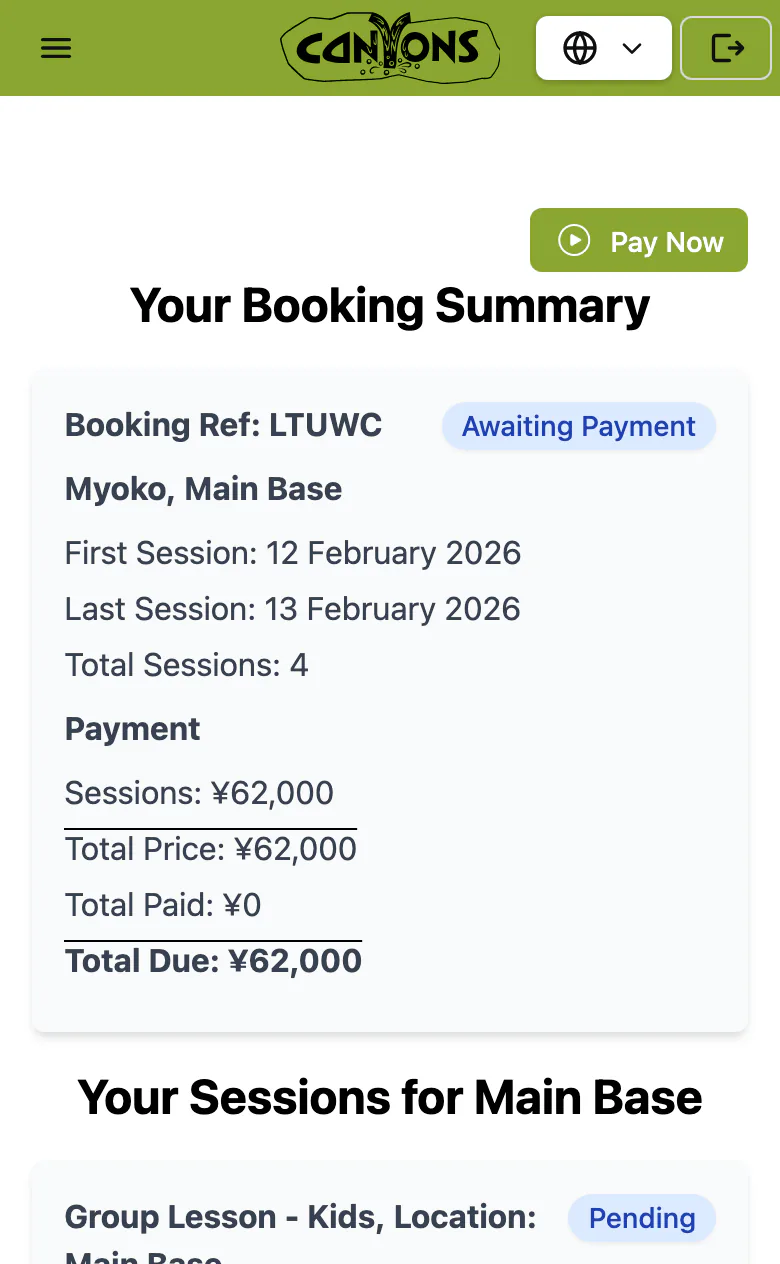
Used to Chasing unpaid bookings by email, one guest at a time.
Now Guests pay online when they book, and unpaid bookings are reminded and released on their own.
- Secure online card payments, taken when the guest books
- Guests abroad pay by card in their own currency
- Card details never touch Active Manager: payments go through a specialist payment provider
- Unpaid bookings get reminders, and are released if they stay unpaid
- At the counter, the payment page goes up on a screen facing the guest
Waivers
Signed before day one
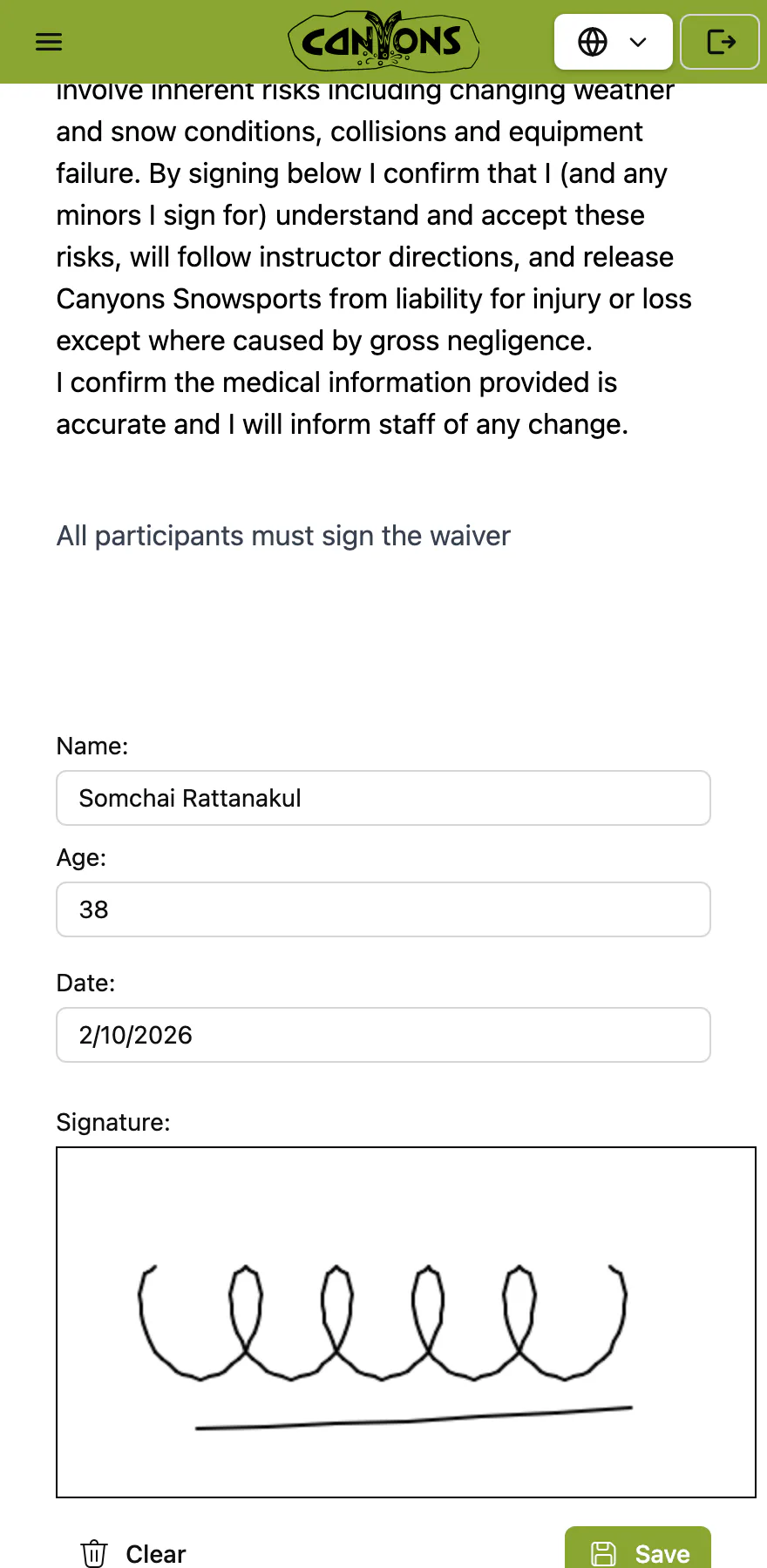
Used to Paper forms on a clipboard at the meeting point, and a parent to find for every child.
Now Guests sign on their own phone before they arrive, and your team can see who has signed.
- Digital waivers, signed on the guest’s phone
- A parent or guardian signs for under-18s
- Waiver status on every booking, and on each instructor’s and guide’s phone
- At the desk, the waiver goes up on a screen facing the guest
Guest details
What your instructors and guides need to know
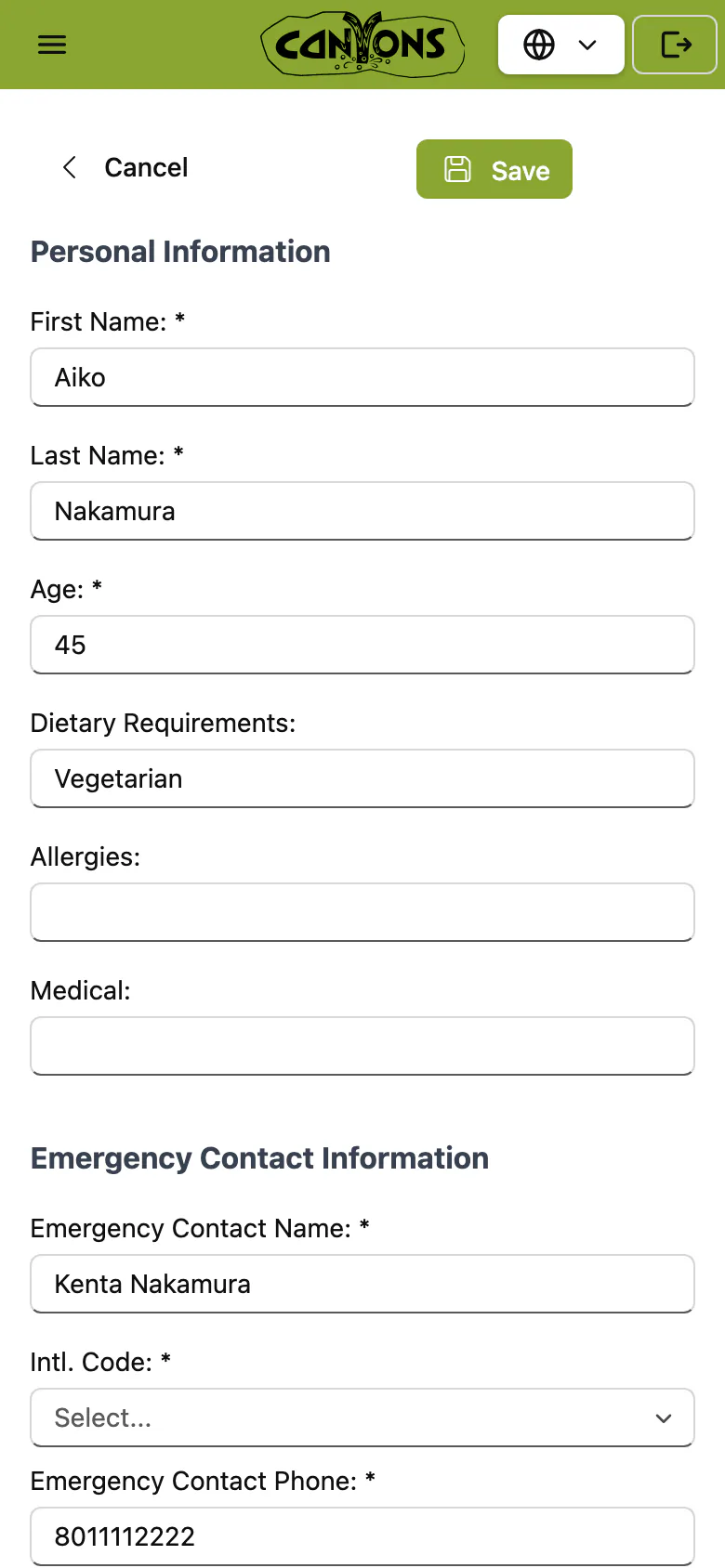
Used to Calling guests the night before for ages, sizes and allergies.
Now Ages, ability, medical and dietary notes, emergency contacts and equipment sizes come in with the booking.
- Each guest’s age and ability level, collected when they book
- Medical and dietary notes, and an emergency contact for every guest
- Equipment sizes for rental fitting
- Guests can correct or add details for everyone in their group before they arrive
- Instructors see who’s in each group and its level; guides also see contacts, rentals and the booking
Staff schedules
Rosters without the spreadsheet

Used to The season roster in a spreadsheet, and days off agreed by text.
Now Shifts, availability and days off for the whole team in one place, weeks ahead.
- Season rosters, availability and days off
- Qualifications on every instructor’s and guide’s profile
- See who is free and qualified for each lesson or tour
- Every lesson or tour still without someone, from today to six months out
- Instructors and guides sign in on their own phone with a one-time code, nothing to install, and see their lessons and shifts
The day’s logistics
Everyone knows where to be

Used to Two sick calls at 7am, and the morning line-up on a whiteboard to redo.
Now See who’s free and qualified, and move their groups across in a few clicks. Your team leads make the call.
- The morning line-up on one board
- Move a group to another instructor or guide with drag and drop
- Meeting points, equipment and pick-ups for every group
- Lunch spots and duties
- Printed group tickets with the time, the guests and a QR code to the waiver
- End-of-day notes carry each group’s level into their later lessons
Guest communication
Confirmations and reminders, sent for you

Used to “What time do we meet?” calls all evening, and reminder emails written one by one.
Now Confirmations, receipts, reminders and feedback requests go out on their own, written in your words.
- Booking confirmations and payment receipts, sent automatically
- A reminder before the day, and a feedback request after it
- Emails in your words, filled in with the booking details
- Message every affected guest in one go, for a wind hold or a change of plan
Payroll and reporting
Payroll without the month-end spreadsheet

Used to Rebuilding the month’s hours from rosters and text messages, by hand.
Now Hours and pay come from the schedule your team actually worked, at each role’s rate.
- Timesheets from the hours actually worked
- Pay exported to Excel for your payroll provider
- Revenue, bookings and partner commission reports
- Guest feedback after their lesson or tour, scored as NPS
- Export any list to Excel
Partners and agents
Sell through hotels, lodges and agents
Used to A commission sheet for every hotel and agent, and their bookings sent in by email.
Now Partners book through their own links and see their own bookings, with commission or invoices worked out for you.
- Each hotel, lodge or agent books through its own link
- Partners have their own login, and see their own bookings
- Partner bookings draw on the same availability as your own
- Commission or invoices, depending on the partner
- 45 partners sold Canyons’ lessons last winter (2025–26)
Multi-site and international
Several sites, and guests from everywhere
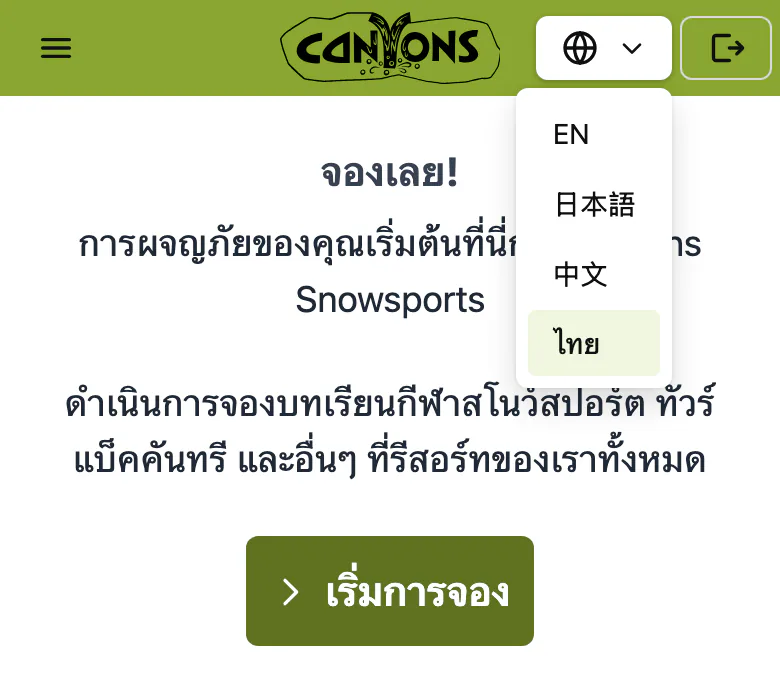
Used to A separate spreadsheet and inbox for every resort or base.
Now Every resort or base runs from one system, each with its own team and schedule.
- Canyons runs 15 resorts in 5 regions from one system (winter 2025–26)
- The booking site and the staff app are available in English, 日本語, 中文 and ไทย
- Guests booked from 71 countries at Canyons last winter (2025–26)
- No account to create: guests come back to their booking with their email and booking reference, or a link
- Front desk, team leads and owners see what their job needs; instructors, guides and partners have their own logins
How it works
Follow one guest’s booking, and everything it sets in motion, from the first booking to the last payslip.
See a day like yours
Tell us how your operation runs. In 30 minutes we’ll show you your busiest morning in Active Manager: your activities, your team, your locations.
- A reply within 48 hours
- No obligation