Skip to content

Run your ski school, from first booking to last payslip

Active Manager takes the booking, puts the right instructor on every private, group and kids’ class, handles the morning’s changes and turns every hour taught into pay, at one resort or many.

Book a demo

Built around a ski school’s week

Active Manager was built inside a 15-resort ski school, around the way lessons are sold, taught and paid.

Privates, groups and kids

Every kind of lesson, on one calendar

Canyons’ booking site: group lesson cards for adults and kids.

Private requests, group lessons by age and level, kids’ programmes and multi-day camps, booked online, at the desk or through a hotel or agent. If there’s space, the booking is confirmed on the spot; if not, it comes to your team to approve.

  • Private lessons, group lessons, kids’ programmes and multi-day camps
  • Each guest’s age and ability level, collected when they book
  • Lessons, rental and transport on one booking
  • Paid online when they book, with unpaid bookings reminded and released
More on customer bookings

Levels carried through the week

Tomorrow’s instructor starts where today’s group finished

End-of-day notes for one guest: the level she reached, 4, carried into each of the three lessons she has booked later in her stay.

When a guest books several days of skiing or snowboarding in one go, their level steps up day by day. At the end of the day, your team leads go through each instructor’s groups and note the level each one reached, and it carries into every lesson those guests have booked later in their stay.

  • Multi-day ski and snowboard bookings step the level up day by day
  • End-of-day notes carry each group’s level into their later lessons
  • Instructors see the level of every group they teach, on their own phone

The right instructor on every class

Matched by qualification, not by memory

The staff schedule: instructors and guides in rows, with lessons, working days and days off across the week.

Every instructor’s qualifications are on their profile, beside their availability and days off. For each lesson, see who’s free and qualified, and every class still without an instructor, from today to six months out.

  • Qualifications on every instructor’s profile
  • Season rosters, availability and days off
  • Every lesson still without an instructor, from today to six months out
  • Move a group to another instructor with drag and drop
More on staff schedules

The morning line-up, lunch spots and duties

The line-up on one board, not a whiteboard

The morning line-up board: the day’s group ski lessons in columns by ability level, a box per instructor and a card per group with its time and guests.

Set the morning line-up on one board while the groups form up, then where each instructor’s groups have lunch and who’s on lunch duty. Instructors see their lessons and shifts on their own phone, with times, level, who’s in each group, the location and waiver status.

  • The morning line-up on one board
  • Lunch spots for each instructor’s groups, and the lunch duty rostered from the same place
  • Printed group tickets with the time, the guests and a QR code to the waiver
  • Instructors sign in with a one-time code: no password, nothing to install
More on the day’s logistics

Rental fitting

Sizes in before the guest reaches the shop

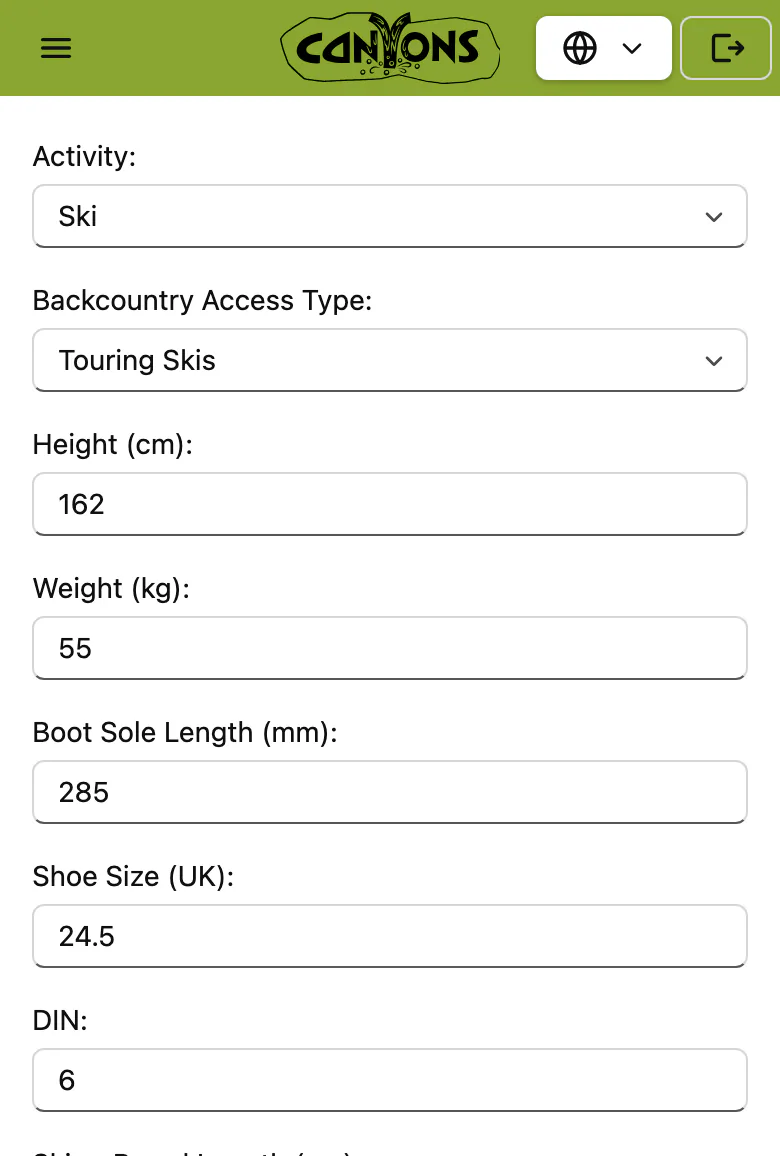
A guest’s equipment sizes on their phone: height, weight, boot sole length, shoe size and DIN, ready for the rental shop.

Equipment sizes come in with the booking, alongside each guest’s age, ability, medical notes and emergency contact. Your rental team has the sizes before the first guest walks in, not on a form filled in at the counter.

  • Equipment sizes collected when they book
  • Lessons and rental on one booking
  • Guests can correct or add details for everyone in their group before they arrive
More on guest details

Peak weeks

7:30am, peak week: two sick calls and the top lifts on wind hold

A peak day’s schedule: a row for each instructor and guide with their lessons, and two lessons at the top still waiting for an instructor.

Two instructors call in sick, and the top lifts are on wind hold. See who’s free and qualified, and move their groups across in a few clicks. Message every affected guest in one go, before they’ve finished breakfast. Your team leads make the calls, and the line-up is done before the first families reach the meeting point.

  • See who’s free and qualified for every class
  • Move a group to another instructor with drag and drop
  • Message every affected guest in one go
More on guest communication

Several resorts as one

Every resort, one system

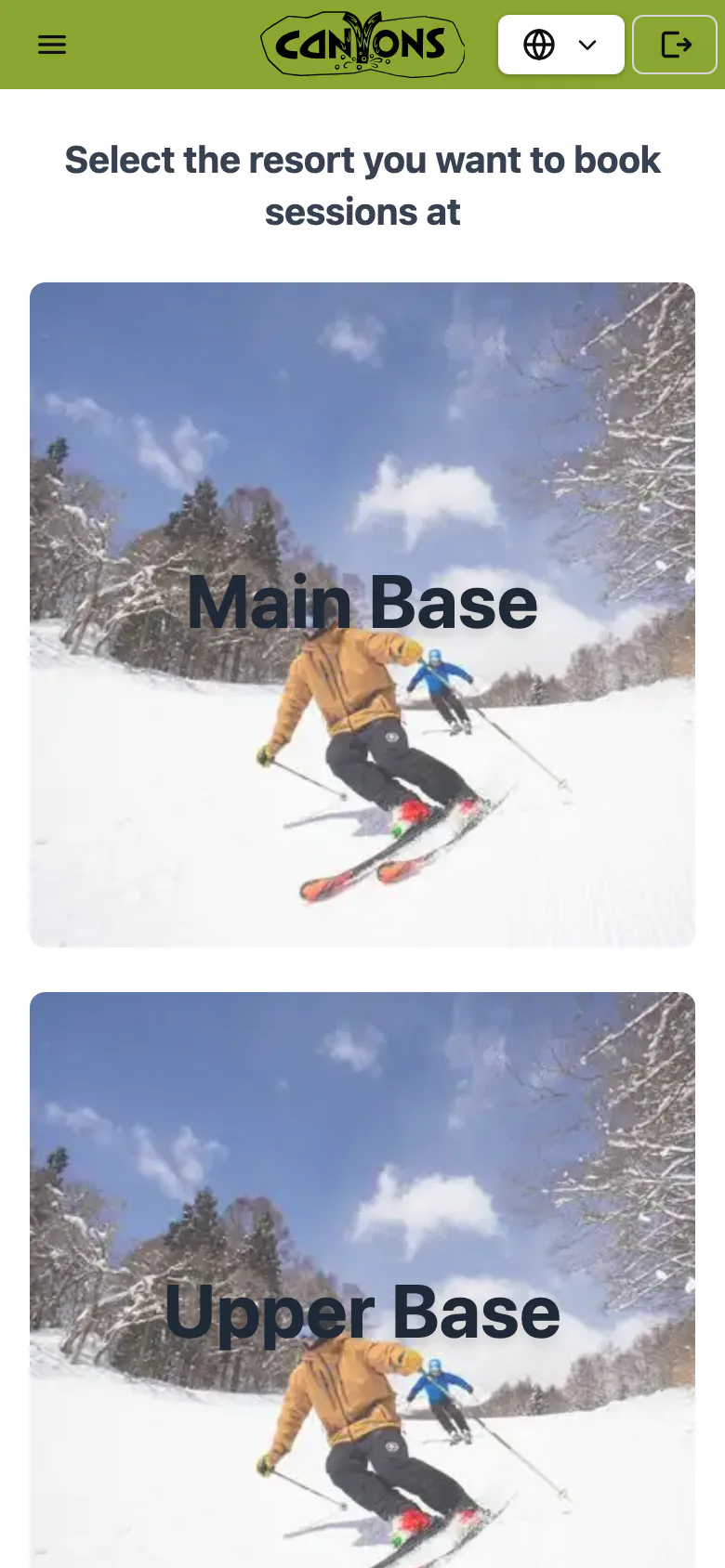
The booking site on a phone: the guest chooses where to book, Main Base or Upper Base.

Each resort keeps its own team, schedule and line-up, and the whole school runs from one system. Canyons runs 15 resorts in 5 regions this way (winter 2025–26).

  • Every resort with its own team and schedule
  • Online, desk and partner bookings against the same availability
  • Front desk, team leads and owners see what their job needs
More on running several sites
Customer story · Canyons

A 15-resort ski school runs on it every day

This application simplified our operations and gave us more time to do the things we enjoy.

Canyons, ski and snowboard school
292 lessons and tours on the busiest day162 staff on the schedule15 resorts, run from one system15,566 guests, booking from 71 countries66% of bookings paid online+73 guest satisfaction (NPS), 953 responses

Canyons, winter 2025–26.

Read the Canyons story

Read on

Every feature

The ten parts of the operation Active Manager runs, from the first booking to payroll and reports.

See every feature

Customer story: Canyons

How Canyons runs its lessons and tours at 15 resorts, in 5 regions, from one system.

Read the Canyons story

See a day like yours

Tell us how your operation runs. In 30 minutes we’ll show you your busiest morning in Active Manager: your activities, your team, your locations.

  • A reply within 48 hours
  • No obligation

See a day like yours in 30 minutes.

Book a demo